Custom business software and AI automation for the work that slows your team down. Start with one useful task, connect the tools you use and keep the decisions that need your approval.
Help your team handle routine enquiries, follow-ups and records. AI can prepare
responses and complete agreed tasks, with a clear route to a person when a case
needs attention.
Explore your AI office
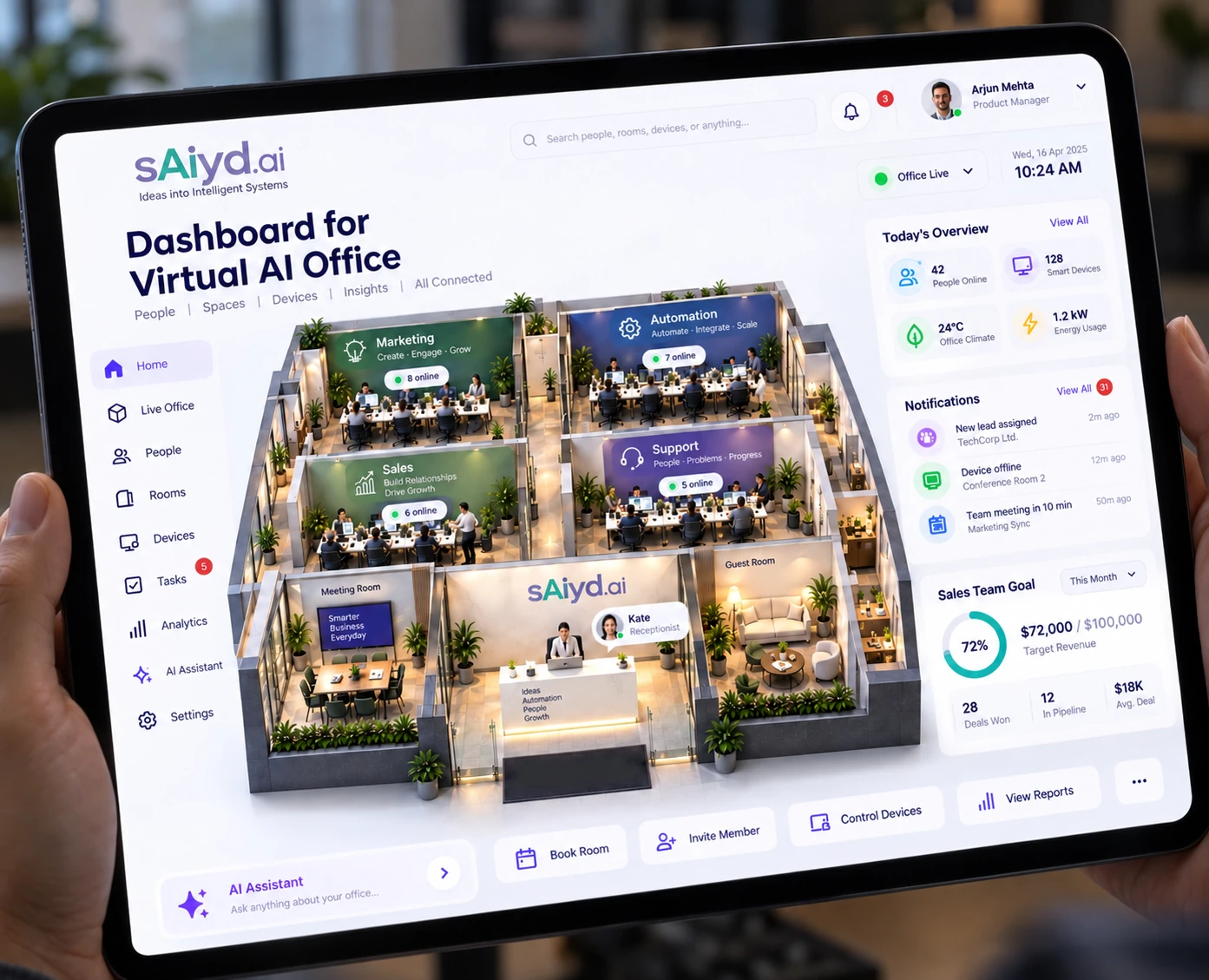
Choose a department below to see a practical starting point, what AI could prepare and where your team keeps the decision.
Choose a department
Illustrative concept · Sample data
Features and connected tools are agreed for each build.
Answers inbound enquiries across agreed web, email and messaging channels
Checks enquiries and sends them to the right person
Drafts quotes, proposals and standard responses for review
Follows up on missing documents and incomplete forms
Updates connected customer and operational records
Prepares a daily summary for the person managing the work
Where it fits
Sales enquiries, customer service, bookings, logistics enquiries and office
administration — especially where the same questions or steps repeat.
Responses that create a legal or financial commitment need human review.
For these tasks, the system prepares a draft and an authorised person approves it.
How we build it
We agree what the system can complete, what needs approval and what must go
straight to a person. These rules guide the software and the tools we connect.
We test how unclear requests and errors reach the person responsible before
expanding the workload. The six-stage process explains
how we take the work from diagnosis to handover.
Solution 02
AI creative automation
Produce and organise images, video and copy from a clear brief. AI helps with
drafts and variations; your team sets the direction and approves the final work.
What we can help with
A clear form for the brief and required materials
Ideas and opening lines based on your message
AI-assisted video, avatar and voice production
Image and video versions sized for each channel
Copy variations, including Arabic where agreed
Checks against brand rules before final review
An organised content library and publishing handover
What stays human
Your message, creative direction, choice of people and tone of voice.
Your team gives final approval before content is published.
Once a direction is approved, the system helps produce the versions you need.
People still check that each one is accurate, useful and right for the audience.
Checks before publishing
We agree the claims, wording, disclaimers, logo use and tone your content must follow.
The workflow checks what it can and flags issues for review. Human approval remains
part of publishing; automated checks do not replace it.
Solution 03
AI agents & workflow automation
Connect the steps between an enquiry, a task, an approval and a report.
Custom software gives your team a clear place to work, while automation handles
the repeatable steps you agree.
01
Operational workflows
Connect tasks across your existing tools. Keep a record of what happened and
alert the person responsible when a step fails or needs review.
02
Reports without the manual assembly
Bring information from agreed sources into dashboards and scheduled summaries,
with clear dates and data checks so your team can review the results.
03
Custom business software
A task list, approval screen, request form or mobile operations view built
around your team and connected to the tools you already use.
Get the steps clear first
A request may arrive in a chat, its document may sit in a folder and its approval
may happen in a phone call. We map those steps first, agree where the information
belongs and then decide which parts software or AI can help with.
Solution 04
Advisory & solution architecture
Get a clear plan before committing to a build: where AI could help, what needs
human control, what it will cost to run and which task to start with.
What we review
Which tasks are suitable for AI or automation
Solution architecture specification included in the agreed handover
Whether to build, buy or connect existing tools
Operating-model design — who owns the system after launch
The skills and training your team will need
A second opinion on a plan or supplier proposal
Who it helps
Business owners choosing their next step, managers comparing software options
and teams that need a practical plan before changing how they work.
After the agreed fee is paid and the architecture is handed over, you can take
it to another build partner. The document is written to make that handover practical.
Admin control
Your controls. On your phone.
Check progress and handle approvals from your phone. Your admin area can bring
together the departments and companies included in the project, with access
agreed for each person.
01
See the work in one place
See task updates, recent activity and items needing attention in one place.
Start with the work that matters most and add more when needed.
02
Keep the important decisions
Review requests, manage access and pause the automations you oversee.
Agree which decisions stay with your team and which need your approval.
03
Choose how updates reach you
Email summaries and WhatsApp notifications can carry the updates your workflow
needs. We agree the connected accounts, recipients and any messaging costs in
the scope, then connect the supported channels.
A first version your team can use
We start with a focused task, familiar language and clear controls. Your team tries
real work in the first version, gets a practical walkthrough and helps us refine
the experience. Timing depends on the scope, data and integrations agreed together.
Tell us what takes too long or gets missed. Enquiries may need a virtual office;
repeated content tasks may need creative automation; moving information between
tools may need workflow automation. We can help you choose a useful first task.
Do you work with our existing tools?
Where they support the work, yes. We start with the tools your team knows,
check their connection options and explain any limits before proposing a change.
What does it cost to run?
Model and platform costs are estimated in the architecture stage at your expected
volume, with a range rather than a single number, because usage-based pricing moves.
You see the run-cost envelope before the build is approved — a system that only
makes sense at a price nobody checked is not a system we want to hand over.
Can you work with Arabic and multilingual output?
Arabic and multilingual output can be included in the project. We agree the
languages, intended audience and review process before building, so translated
or generated content gets the appropriate language checks.
Not sure which one you need?
Describe the task that slows you down. We will work through the steps with you
and suggest where to start.